In this article· 6 sections
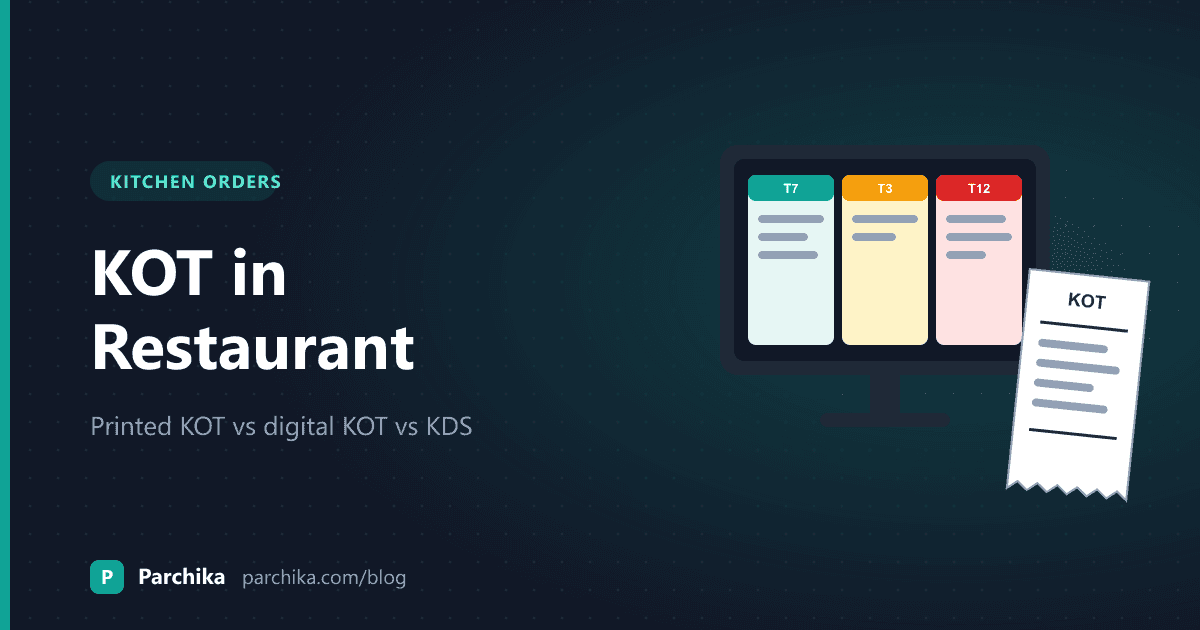
A KOT, or kitchen order ticket, is the slip that tells your kitchen what to cook, for which table, and in what order. That's it. But how the slip gets from the captain to the cook decides a lot. Whether the tandoor guy sees the naan. Whether a cancelled paneer tikka still gets made. Whether table 7 waits 12 minutes or 30.
So if you're asking what a KOT in restaurant service actually means, here's the short answer and then the useful one: what a good KOT carries, how handwritten, printed and screen-based tickets compare, and how to pick the right one for your kitchen without overspending.
What a KOT in restaurant kitchens actually carries
A KOT is an instruction, not a bill. It has no prices on it, because the cook doesn't need them. What the cook does need is everything that changes how the food gets made:
- Table number or order number, plus the order type (dine-in, takeaway, delivery, or which aggregator it came from)
- Each item with quantity
- Modifiers in kitchen language: "less spicy", "no onion", "jain"
- The time it was sent and a running KOT number
- Who sent it, so the kitchen knows which captain to call
The bill is a separate document that goes to the guest. And here's the part many owners miss: every KOT should end up on a bill. A KOT that never gets billed is food you gave away. When the two are created from the same order on your POS, that link is automatic. When a captain writes one on a pad and the cashier types the other, it isn't.
Three ways a KOT reaches the kitchen
People use "digital KOT" to mean different things, so it helps to split this into two questions. Where is the order created (paper pad or POS)? And where does it end up (paper slip or screen)?
1. Handwritten KOT
The captain writes the order on a carbon pad. One copy goes to the kitchen, one to the cashier. It costs almost nothing and it's how most restaurants started.
The trouble shows up at 9 pm on a Saturday. Handwriting gets rushed. The cashier's copy goes missing. Add-ons get scribbled on a second slip that never reaches the bill. And you have no trustworthy record of when anything was ordered.
2. Printed KOT from the POS (what most people mean by digital KOT)
The captain takes the order on the POS or a handheld, and a thermal printer in the kitchen prints the ticket. The order is digital; the ticket is still paper.
This fixes the two biggest problems. Tickets are readable, and the same order feeds the bill. A good POS also splits one order across stations, so the tandoor printer gets the kebabs and the curry station gets the dal. But you still have slips getting oily, falling off the rail, and piling up. Paper can't tell you which order has been waiting too long.
3. Kitchen display system (KDS)
Same digital order, but it lands on a screen instead of a printer. Cooks tap to mark an order in progress and tap again when it's done. A kitchen display system can also show how long each ticket has been open, which is the one thing paper never does.
At a glance
Handwritten KOT vs printed KOT vs KDS
| Feature | Handwritten KOT | Printed KOT (from POS) | KDS |
|---|---|---|---|
| Readable in a rush | |||
| Linked to the bill automatically | |||
| Splits one order across stations | |||
| Shows how long an order has waited | |||
| Cook can mark an order done | |||
| Ongoing cost | Carbon pads | Thermal paper rolls | Screen per station |
| Works for a 6-table cafe | Overkill |
Worked example: one table on a Saturday night
Take a 15-table North Indian restaurant with three stations: tandoor, curry and desserts. These numbers are illustrative, but the pattern will look familiar.
At 8:10 pm, table 7 (four guests) orders two paneer tikka, one chicken seekh kebab, four butter naan, one dal makhani, one butter chicken "less spicy" and two gulab jamun for later. With station routing, that one order becomes three KOTs:
- KOT #214, tandoor: 2 paneer tikka, 1 chicken seekh, 4 butter naan
- KOT #215, curry: 1 dal makhani, 1 butter chicken (less spicy)
- KOT #216, desserts: 2 gulab jamun
At 8:22, one guest cancels a paneer tikka. On a carbon pad, the captain walks in and shouts it over the exhaust fan. Maybe the cook hears. On a POS, a cancellation ticket goes to the tandoor station marked as a cancel, and there's a record of it. That record matters later. If cancellations keep showing up on the same captain's tables, you want to know.
At 8:30, the table asks for two more naan. That's KOT #231, tagged to table 7, and it lands on the bill without anyone remembering to add it.
One table, five tickets in 20 minutes. Now multiply. If those 15 tables turn twice on a Saturday and each produces around five tickets, that's about 150 tickets in one evening. On paper, that's 150 slips on a rail. On a screen, each one is a card that disappears when the cook marks it done, and the ones running late change colour. Set a target of, say, 15 minutes for curry mains, and the head cook can see which tables are slipping before a guest waves the captain over.
Which one should your kitchen use?
If you're still on carbon pads, move off them. Not because paper is bad, but because handwritten KOTs break the link between what the kitchen cooks and what the guest pays for. Even a basic POS with one kitchen printer fixes that.
After that, it depends on your kitchen, not on what sounds modern.
A small cafe with one cook standing three metres from the counter doesn't need screens. A printed KOT is plenty. Spend the money on a better coffee grinder.
A KDS starts paying off when you have more than one station, real rush peaks, or a big share of delivery orders mixed with dine-in. That's when slips get lost and nobody can tell which order came first. Cloud kitchens running orders from several apps are the clearest case.
Many kitchens end up with both: screens for the cooks, and a printer at the packing table so delivery bags get a paper ticket stapled on. That's a sensible setup, not a half-measure.
You might be thinking your cooks won't use a screen. Most pick it up in a shift, because there's really only one button to learn. Start with one station, keep the printer running as a backup for the first couple of weeks, and let the cooks tell you when they're ready to drop it.
Checklist before you switch KOT systems
Whether you're moving from pads to printed KOTs or from printers to a KDS, do these in order:
- Map every menu category to a station. Starters to tandoor, curries to the curry station, drinks to the bar. Items with no station are the ones that get forgotten.
- Decide where paper still prints. Usually the dispatch or packing table for takeaway and delivery.
- Shorten your modifiers. Write them the way your cooks say them. "Less spicy" beats "Reduced chilli preference".
- Set target prep times per station. Rough is fine to begin with. You'll tune them after a week of real data.
- Run test orders on a quiet afternoon. Include a cancel, an add-on and a split table. If routing is wrong, you want to find out at 4 pm, not 8 pm.
- Plan for the internet dropping. Ask what happens to KOTs when Wi-Fi goes. We wrote about this in restaurant POS offline mode.
- Check KOTs against bills at day-end. For the first month, look at cancelled tickets and any KOT that didn't turn into a bill. That's where the leaks are.
How Parchika handles KOTs
In Parchika, the captain or cashier enters the order once and the KOT goes to the right station automatically: mains to the hot kitchen, desserts to the pantry, drinks to the bar. Dine-in, takeaway and delivery orders all flow through the same queue, and Zomato and Swiggy orders appear in the POS and send their KOT without staff re-typing them. If you take orders at the table, our post on captain ordering and KDS walks through that flow.
The Parchika kitchen display system turns those tickets into colour-coded cards that move from green to yellow to red as they pass your target time, with a chime when a new order arrives. It runs on a standard Android tablet, iPad or smart TV screen, and you can keep a thermal printer at the packing table alongside it. If the internet drops, KOT routing keeps working inside the restaurant and syncs once you're back online.
KDS is available on the Pro and Enterprise plans. You can see what each plan includes on the pricing page.
Send cleaner KOTs from tonight's service
Set up stations, route KOTs and try a kitchen display on Parchika.
Still have questions?
Frequently asked questions
What is the full form of KOT in a restaurant?
KOT stands for kitchen order ticket. Some restaurants call it a kitchen order token. It's the ticket that tells the kitchen what to prepare for a table or order, without prices.
Is a KOT the same as the bill?
No. The KOT goes to the kitchen and lists items and instructions. The bill goes to the guest and lists items, prices and taxes. Ideally both come from the same order on your POS, so every KOT ends up billed.
Do I need a separate printer for KOTs?
Usually yes, if your kitchen is away from the counter. The KOT printer sits where the cooks work, and the billing printer stays at the counter. A very small cafe where the cook stands next to the cashier can manage with one.
What is a cancel KOT?
It's a ticket sent to the kitchen when an item is removed after the original KOT went out. It tells the cook to stop, and it leaves a record. Reviewing cancel KOTs every week is a simple way to spot wastage or misuse.
Can I use a KDS and a KOT printer together?
Yes, and many kitchens do. Cooks work from the screen, while a printer at the packing or dispatch table prints tickets for takeaway and delivery bags. Parchika supports running both.
Written by
Parchika POS
POS Software Experts
The Parchika team of restaurant and retail technology specialists fact-checks and curates industry best practices.