In this article· 7 sections
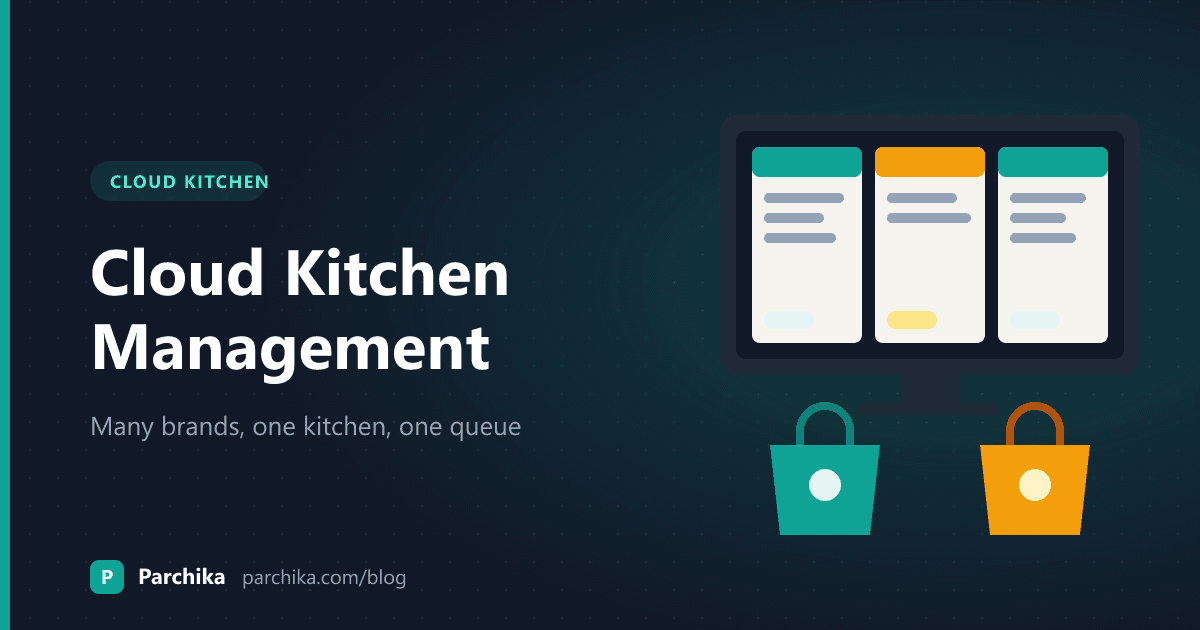
Adding a second brand to your cloud kitchen looks cheap on paper. Same rent, same cooks, same gas line. Just a new name and a new menu on Swiggy and Zomato.
Then Friday night arrives. Three tablets are beeping, two brands share one paneer tray, and a rolls order goes out in the biryani brand's bag. Good cloud kitchen management for several brands isn't about having more screens. It's about four things: menus that share ingredients, one order queue, one stock and a profit number for each brand after commission. Here's how to set each one up, with a worked example you can copy. If you want to see how a POS handles it, the cloud kitchen POS page walks through the setup.
Plan brand menus around the same ingredients
The whole case for a multi-brand kitchen rests on overlap. If your biryani brand and your burger brand share nothing but the fryer, you're running two kitchens that happen to split rent. You get double the stock, double the wastage and half the buying power.
So start from the cold room, not the brand name. List what you already stock and cook well, then ask what else those ingredients can become.
A kitchen doing chicken biryani already has marinated chicken, fried onions, rice and raita. That's most of a rolls brand (chicken tikka, onions, a mint chutney) and most of a rice bowls brand. A pizza line, on the other hand, needs cheese, dough and an oven you don't have.
A rough rule we'd stand by: aim for at least half of a new brand's ingredients to already be on your shelf. Below that, the second brand mostly adds work.
Keep each brand's menu short
Twelve to twenty dishes per brand is plenty for delivery. Customers scroll past long menus anyway, and every extra dish is another recipe your line has to remember while three brands are live. Cut anything that sells fewer than a few plates a week and needs its own ingredient.
Bring every order into one kitchen queue
Most multi-brand kitchens start with a tablet per platform per brand. Two brands on two apps is already four tablets. Someone stands at the pass reading orders off them and typing them into the billing system. That person is your bottleneck, and they're also where the wrong-brand mistakes come from.
What you want instead is one queue. Every order, from every brand and every app, plus your own direct orders, lands in the same list and goes to the kitchen as a KOT without re-typing. (If you're still on printed KOTs, this comparison of printed KOT, digital KOT and KDS covers when a screen is worth it.)
The order of that queue matters more than people think. Sorting by arrival time sounds fair, but it isn't. A dum biryani that takes 18 minutes and a roll that takes 6 shouldn't start in the order they came in. Sort by when the rider arrives and how long each dish takes, so the slow dish starts first and both are packed when the rider walks in.
Make the brand obvious at the pass
The most common multi-brand complaint isn't late food. It's the right food in the wrong packaging, or the wrong garnish. Colour-code orders by brand on the kitchen screen and keep each brand's bags, stickers and boxes on a separate shelf near the packing station. It costs nothing and it stops the problem.
Run one stock and deduct by recipe
Shared ingredients are where multi-brand kitchens lose track of money. The cook doesn't care which brand the chicken is for. Your stock register should, though, or you'll never know which brand's food cost is drifting.
The fix is recipe-based deduction. Every dish has a recipe (180 g chicken, 150 g rice, 30 g fried onions and so on), and every sale deducts those quantities from one common stock. You keep a single store, but every gram is tagged to the brand that sold it.
A worked example: two brands, one paneer tray
Say you run a biryani brand and a rolls brand from one kitchen. These numbers are illustrative.
- Paneer biryani uses 120 g of paneer. On an average day you sell 30, which is 3.6 kg.
- Paneer tikka roll uses 80 g. You sell 45 a day, which is also 3.6 kg.
- Combined, the kitchen needs about 7.2 kg of paneer a day, before wastage.
- If your supplier delivers every second day, you order roughly 15 kg per delivery, not a separate 7.5 kg lot "for each brand".
- At the night count, your system says 1.4 kg should be left. You count 0.9 kg. That 500 g gap is your wastage or leakage for the day, and because sales are tagged by brand, you can see whether it lines up with an oddly heavy roll portion or something else.
Without recipe deduction, all you'd know is that paneer "felt" expensive this month. With it, you know it to the gram.
Do the count every night for your top ten ingredients, not once a month. A month is too long to find out the rolls line has been free-pouring cheese.
Know which brand actually makes money
Gross sales flatter every brand. A brand doing ₹40,000 a week on an aggregator can be earning less than one doing ₹25,000 through direct orders, once commission and packaging are taken out.
Here's one order worked through. The commission rate below is an example only. Use the rate in your own platform agreement.
- Order value: ₹400
- Platform commission at, say, 25%: ₹100
- Food cost from the recipe: ₹120
- Packaging (box, bag, cutlery, sticker): ₹25
- What's left before rent, salaries and gas: ₹155
Now run the same dish through your own ordering page with no commission. You keep ₹255. That gap is why so many kitchens push repeat customers to a direct link on the bag sticker.
The point isn't to hate aggregators. They bring you customers you'd never find on your own. The point is to know the number per brand and per platform, so you can decide which brand to promote, which dishes to reprice and which brand to quietly retire. Our food cost calculator is a quick way to check the food cost line for a dish before you price it.
At a glance
Separate setups per brand vs one shared system
| Feature | Separate tablets and stock per brand | One shared POS for all brands |
|---|---|---|
| Orders re-typed from tablets | Yes, by hand | No, they arrive in one queue |
| Kitchen queue sorted by prep and delivery time | ||
| Shared ingredients bought in one lot | ||
| Out-of-stock item hidden on every brand at once | Manual, per listing | From one place |
| Profit per brand after commission | Spreadsheet at month end | Daily report |
| Cost of adding a new brand | New tablets, new stock, new spreadsheets | Mostly menu and recipe setup |
Adding a new brand: a cloud kitchen management checklist
If the kitchen and ingredients are already in place, a new virtual brand is mostly menu work. Here's the order we'd do it in.
- Pick the cuisine based on ingredient overlap, not what's trending on Instagram.
- Write 12 to 20 dishes and a recipe for each, using ingredients you already stock wherever possible.
- Cost every dish and set prices with commission and packaging included, not just food cost.
- Order the brand's packaging and give it its own shelf and colour at the pass.
- Create the brand in your POS with its own menu and prices, linked to the same ingredient list.
- List it on the delivery apps and map each online item to the POS item. Approval times vary by platform, so start this early.
- Set up a direct ordering page and print the link on the bag sticker.
- Do a dry run at a quiet hour: cook and pack five orders from the new brand alongside the old ones.
- After two weeks, read the brand's numbers. Drop the dishes nobody orders.
You might wonder whether a new brand eats into your existing ones. Sometimes it does, if the menus are too similar and land in the same search results. Keep each brand clearly different on the customer side, even if the kitchen side is mostly the same ingredients.
When one kitchen isn't enough
At some point the line can't cook any faster, or you want the same brands in a second part of the city. That's usually when groups add a central kitchen that makes gravies, marinades and bases, and sends them to each cloud kitchen. The outlets then only finish and pack. If you're weighing that step, our post on the central kitchen model vs outlet kitchens goes through when it pays off and when it doesn't.
How Parchika helps with multi-brand kitchens
Parchika's cloud kitchen POS is built around the setup described above. Each brand gets its own menu, prices and reports, and each is set up as its own outlet working out of the same kitchen. Swiggy, Zomato and direct orders from every brand land in one queue and go to a kitchen display that's colour-coded by brand and sorted by delivery time and prep time.
Recipes deduct ingredients from one shared stock as you sell, so the paneer used by two brands comes out of the same tray in the books too. Menu, price and stock changes go to every brand and platform from one place. And the reports show revenue, orders, top items and gross profit per brand and per platform, with commission, food cost and packaging taken out.
The free plan covers one outlet, so you can try it with a single brand first. Aggregator integration, recipes and inventory are in the paid plans, and running several brands as outlets needs a plan with more outlets. Check pricing for what fits your kitchen.
Run every brand from one kitchen screen
One order queue, one stock and a P&L for each brand. Start with the free plan.
Still have questions?
Frequently asked questions
How many brands can one cloud kitchen run?
There's no fixed number. It depends on your line, your space and how much the menus overlap. Many kitchens do well with two to four brands. If cooks are constantly switching between unrelated recipes at peak hour, you've probably added one too many.
Should each brand have its own kitchen staff?
Usually not. The saving in a multi-brand kitchen comes from shared cooks and shared stations. Organise stations by cooking method (tandoor, wok, fryer, rice) rather than by brand, and let the colour-coded queue tell the packer which brand each order belongs to.
How do I split shared costs like rent and gas between brands?
Food cost and packaging can be tracked per order through recipes. Rent, gas and salaries are shared, so most owners split them by each brand's share of orders or sales. Pick one method and stick with it, so month-to-month comparisons mean something.
What happens to stock when one brand is busier than another?
Nothing breaks, because stock is shared. If the rolls brand has a big night, it simply draws more from the common chicken and paneer. That's the advantage over separate stock per brand, where one brand runs out while the other has extra sitting in the chiller.
Is a multi-brand kitchen worth it for a small operator?
It can be, if the second brand reuses most of your ingredients and your line has spare capacity outside peak hours. Start with one extra brand, read its numbers after a few weeks, and only add another if it's actually covering its own packaging and commission.
Written by
Parchika POS
POS Software Experts
The Parchika team of restaurant and retail technology specialists fact-checks and curates industry best practices.