In this article· 7 sections
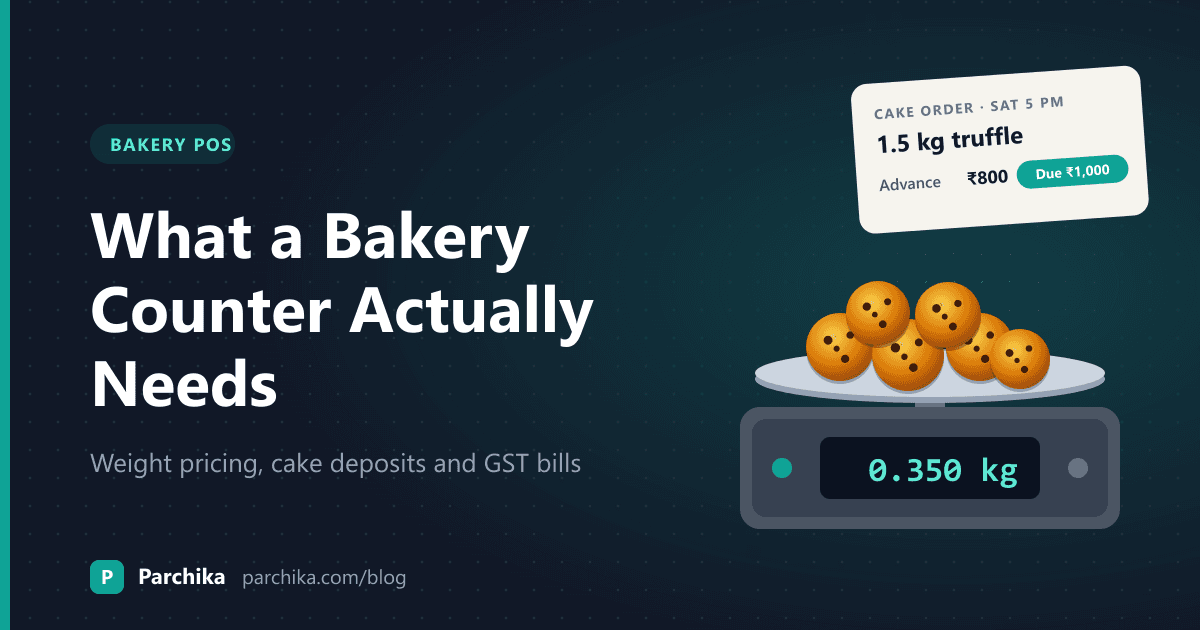
Saturday, 6 pm. There are eight people at the counter, one wants 350 g of coconut cookies, another is picking up a birthday cake they paid ₹800 towards last week, and the billing screen is asking you to scroll through 140 items to find a veg puff.
That's the moment a bakery POS either earns its place or gets in the way. Most billing software is built for restaurants or general retail, and bakeries sit awkwardly between the two. You sell by the piece and by the kilo. Half your stock goes stale in a day. And a good chunk of your weekend revenue comes from orders taken days in advance.
This guide covers what a bakery counter actually needs from its billing system, with worked examples for weight pricing and cake deposits, a quick test you can run in any demo, and the mistakes worth avoiding. If you want to see how one system handles all of it, our bakery POS page has the details.
Why a bakery counter isn't a restaurant counter
A restaurant POS is built around tables, KOTs and courses. A retail POS is built around barcodes and shelves. A bakery needs bits of both, plus a few things neither handles well:
- Short shelf life. Bread, buns and cream pastries have a day or two. What didn't sell is a write-off, not stock.
- Two ways of pricing. Packed cakes and puffs by the piece. Cookies, rusks and loose sweets by weight.
- Advance orders. Birthday cakes, party boxes and bulk orders get booked days ahead, often with part payment.
- Short, sharp rushes. Morning bread, evening snacks, weekend cakes. The counter is quiet, then it isn't.
- A bakehouse behind the counter. If you bake in-house, every sale should tell you something about tomorrow's bake.
Keep that list in mind. Every feature below maps to one of these.
Speed at the counter comes first
If billing is slow, nothing else matters, because staff will find workarounds. They'll ring up "misc ₹50", skip items or write bills by hand during the rush.
What makes a counter fast is less about raw software speed and more about layout:
- Category tabs that match your shelves. Breads, Cakes, Puffs and Snacks, Cookies, Beverages. The person billing shouldn't have to think.
- A touch grid with your best-sellers on the first screen. Your top 20 items probably make up most of your bills.
- Keyboard shortcuts for desktop counters. In Parchika, for example, F2 jumps to search and F9 takes payment.
- UPI, card and cash on the same payment screen, so nobody switches apps to take a UPI payment.
- Offline billing. If the internet drops at 6 pm on a Saturday, the counter has to keep going and sync later.
Here's a test worth doing. Bill two buns, a veg puff, 250 g of cookies and a cold coffee, paid by UPI. Count the taps. If it takes more than about 15 seconds once the person knows the screen, the layout needs work, or the software does.
Selling by weight without arguments
Weight pricing is where a lot of generic billing apps fall down. They make you create a separate item for 100 g, 250 g and 500 g packs, which falls apart the moment a customer asks for "around 300".
The cleaner way: set one price per kg for each loose item, enter the actual weight at billing and let the system do the maths. The bill should print the weight, the rate and the amount on the same line. That last part matters more than it sounds. Customers trust a bill that shows the working.
Worked example: a mixed basket
For example, a customer buys:
- 1 sandwich loaf at ₹55
- Coconut cookies, 350 g at ₹480/kg: 0.35 × 480 = ₹168
- 2 cream puffs at ₹40 each: ₹80
That's ₹303 before tax. On the bill, the cookie line reads something like Coconut cookies 0.350 kg @ ₹480/kg: ₹168. Nobody has to argue about whether 350 g was "about ₹170".
If you have a weighing scale at the counter, the person billing reads the weight off it and types it in. Keep the rate per kg on the shelf label too, so the counter and the shelf never disagree.
Custom cake orders and deposits
Cake orders are where notebooks fail. The diary gets misplaced, someone writes "Sat" without a time, and the advance is remembered by nobody until the customer shows up with a receipt.
A bakery POS should treat a cake order like a bill that isn't finished yet. Here's a booking flow that works:
- Take the customer's name and phone number.
- Record the cake details: flavour, weight, shape, message, any photo reference.
- Set the pickup or delivery date and time.
- Collect the advance and print a receipt that shows the advance and the balance due.
- Make the order show up for the bakehouse on the right day, not just in the counter's list.
- At pickup, open the same order and collect only the balance.
Worked example: a birthday cake
Say a customer books a 1.5 kg chocolate truffle cake at ₹1,200/kg for Saturday at 5 pm. The total is ₹1,800. They pay ₹800 now. The receipt shows Advance ₹800, Balance ₹1,000.
On Saturday, the order is already on the bakehouse list, the cake is ready at 4:30, and the counter collects ₹1,000. No digging through a diary, no "did they pay already?" and no cake baked for the wrong day.
One opinion here: always take an advance on custom cakes, even from regulars. It's not about trust. It's that a cake nobody collects is a cake you can't sell to anyone else.
GST on bakery bills
Bakeries often sell items that carry different GST rates on the same bill. Packed and branded goods, fresh bread, cakes and beverages don't all sit in the same slab, and the rules change from time to time.
So your POS should let you set the tax rate per item, not per bill, and print GST-ready invoices that show the tax breakdown. Set the rates up once with your accountant, check them again whenever rates change, and let the system apply them at the counter. Don't leave it to the person billing to pick a rate.
We're not going to quote rates here, because they change and they depend on how you sell. Confirm current rates with your accountant before you set up your menu. The GST calculator is handy for checking a bill by hand.
End of day: unsold stock, write-offs and cash
Closing is where bakeries lose money quietly. The unsold bread goes in a bag, the cash gets counted, and nobody records what was thrown away.
A good bakery POS closes the day properly:
- Mark unsold items as discounted, given to staff or wasted, with a reason. Over a few weeks the wastage report shows which products and which days you're over-baking.
- Sell older stock first. If each bake carries a batch and expiry date, near-expiry items get flagged before they turn into write-offs.
- Match the cash. Sales by payment type (cash, UPI, card) should line up with what's in the drawer and the bank.
If you bake in-house, that sales and wastage data is exactly what you need to plan tomorrow's bake. We've written a separate guide on bakery production planning that picks up from here.
At a glance
Generic billing app vs a bakery POS
| Feature | Generic billing app | Bakery POS |
|---|---|---|
| Items sold by weight | Separate item per pack size | One rate per kg, weight entered at billing |
| Weight and rate on the bill | ||
| Cake orders with advance and balance | Notebook or manual notes | Booked in the POS, balance collected at pickup |
| Tax rate per item | Often one rate per bill | |
| Billing when the internet drops | Depends on the app | |
| Batch and expiry on fresh items | ||
| End-of-day wastage with reasons | ||
| Sales feed the next day's bake plan |
How Parchika's bakery POS helps
Parchika was built to run the counter and the bakehouse in one system, so a sale at 6 pm updates stock and shows up in tomorrow's planning. At the counter, the Parchika bakery POS gives you:
- Fast billing from category tabs, with search and keyboard shortcuts for desktop counters.
- Items priced by kg or gram, with the weight and rate printed on the bill.
- Custom cake and bulk orders booked with the advance and balance due.
- Item-wise tax rates, GST-ready bills, and UPI, card and cash payments.
- Offline billing that syncs when the connection comes back.
- Swiggy, Zomato and your own online orders in the same queue as counter sales.
- Batch and expiry tracking, so older stock sells first and near-expiry items are flagged.
You can start billing on the free plan: one outlet, 2 users, 1 device and up to 1,000 bills a month. Recipes, inventory, WhatsApp invoices and barcode billing come with Pro, and running several outlets from a central bakehouse is on Enterprise. The pricing page has the full comparison.
Bill your bakery counter on Parchika
Weight pricing, cake orders and GST bills. Start on the free plan.
Still have questions?
Frequently asked questions
What is a bakery POS?
A bakery POS is the billing software and device you use at a bakery counter. On top of taking payment, it handles what's specific to bakeries: items sold by weight, custom cake orders paid in advance, short shelf-life stock and end-of-day write-offs.
How do I bill loose cookies or rusks by weight?
Set a price per kg for each loose item. At billing, enter the weight and the POS calculates the amount. A good bakery POS prints the weight, rate and amount on the same line, so the customer can see the working.
How should I handle advance payments on cake orders?
Book the order in the POS with the cake details, pickup date and time, and the advance paid. Give the customer a receipt showing the balance due. At pickup, open the same order and collect only the balance.
Can one bill have items with different GST rates?
Yes. Set the tax rate on each item rather than on the bill, and the POS applies the right rate to each line. Confirm current rates with your accountant, because they change and depend on how an item is sold.
Is there a free bakery POS?
Parchika's free plan covers one outlet with 2 users, 1 device and up to 1,000 bills a month, which is enough for many small bakeries to start billing. Recipes, inventory and more devices come with the Pro plan.
Written by
Parchika POS
POS Software Experts
The Parchika team of restaurant and retail technology specialists fact-checks and curates industry best practices.