
Franchise POS software that keeps every outlet on brand
Control menus and prices from head office, see every outlet's sales as they happen, calculate royalty from real bills and supply outlets from your central kitchen. Franchisees get a fast POS for their outlet and see only their own data.
- Unlimited outlets
- Offline billing at every outlet
- Free data migration
Sound familiar?
Running a chain on separate systems costs you control
Menus and prices drift outlet by outlet
One franchisee adds a dish, another changes a price, and your brand stops being the same brand.
You only see sales when franchisees send them
Royalty is calculated from numbers someone typed into a spreadsheet, weeks after the fact.
Supply from the central kitchen runs on phone calls
Outlets order over WhatsApp, production guesses quantities, and nobody can trace a batch.
Every new outlet is a fresh setup
Menus, taxes, printers and staff logins are rebuilt from scratch each time you open.
One system, two views
Head office keeps control. Franchisees get a POS that just works.
Head office controls
- Master menu, recipes and prices
- Which outlets get which items
- Royalty and sales for every outlet
- Central kitchen and warehouse supply
- Consolidated reports across the chain
Each franchisee sees
- Billing, KOT and tables for their outlet
- Their own sales, stock and staff
- Requisitions to the central kitchen
- Local prices, only if you allow it
- Nothing from other outlets
Built for chains
What your franchise network gets
Everything a single outlet needs to bill fast, plus the controls head office needs to run many outlets as one brand.
Central menu and price control
Create items once in the master catalogue and publish them to all outlets or a chosen group. Allow local pricing only where you want it.
Franchise royalty tracking
Royalty is calculated from each outlet's recorded daily net sales, not from figures sent to you later.
Central kitchen supply
Outlets raise requisitions from their POS. The central kitchen plans production from them and transfers batches with batch number, expiry date and cost attached.
Stock transfers between outlets
Request, approve and track stock moving between outlets, warehouses and the central kitchen, with an audit trail.
Consolidated reports
Revenue, margins and wastage for the whole chain, with a breakdown by outlet so you can compare them side by side.
Offline billing at every outlet
Each outlet keeps billing when the internet drops. Sales sync to head office automatically when it comes back.
Centralised purchasing
Combine low-stock alerts from all outlets into bulk purchase orders to suppliers.
Roles and outlet-level access
Franchise owners and outlet managers see only their own outlet. Head office sees everything.
See it in action
From outlet requisition to invoice in one flow
Watch an order travel from three outlets through the central kitchen, or take over and run it yourself.
WhatsApp alerts will appear here
To Central Kitchen · deliver tomorrow, 7:00 AM
#IND-2041- 🍅
Tomato Base Sauce
kg · 3-day shelf life
6 - 🌿
Green Herb Sauce
kg · 2-day shelf life
4 - 🍗
Marinated Chicken
kg · 2-day shelf life
5
Parchika Alerts
WhatsApp Business · auto
Requisitions, POs and invoices are sent here automatically
See it in action
The same Parchika screens at every outlet
Real screens from the Parchika app, not mockups.
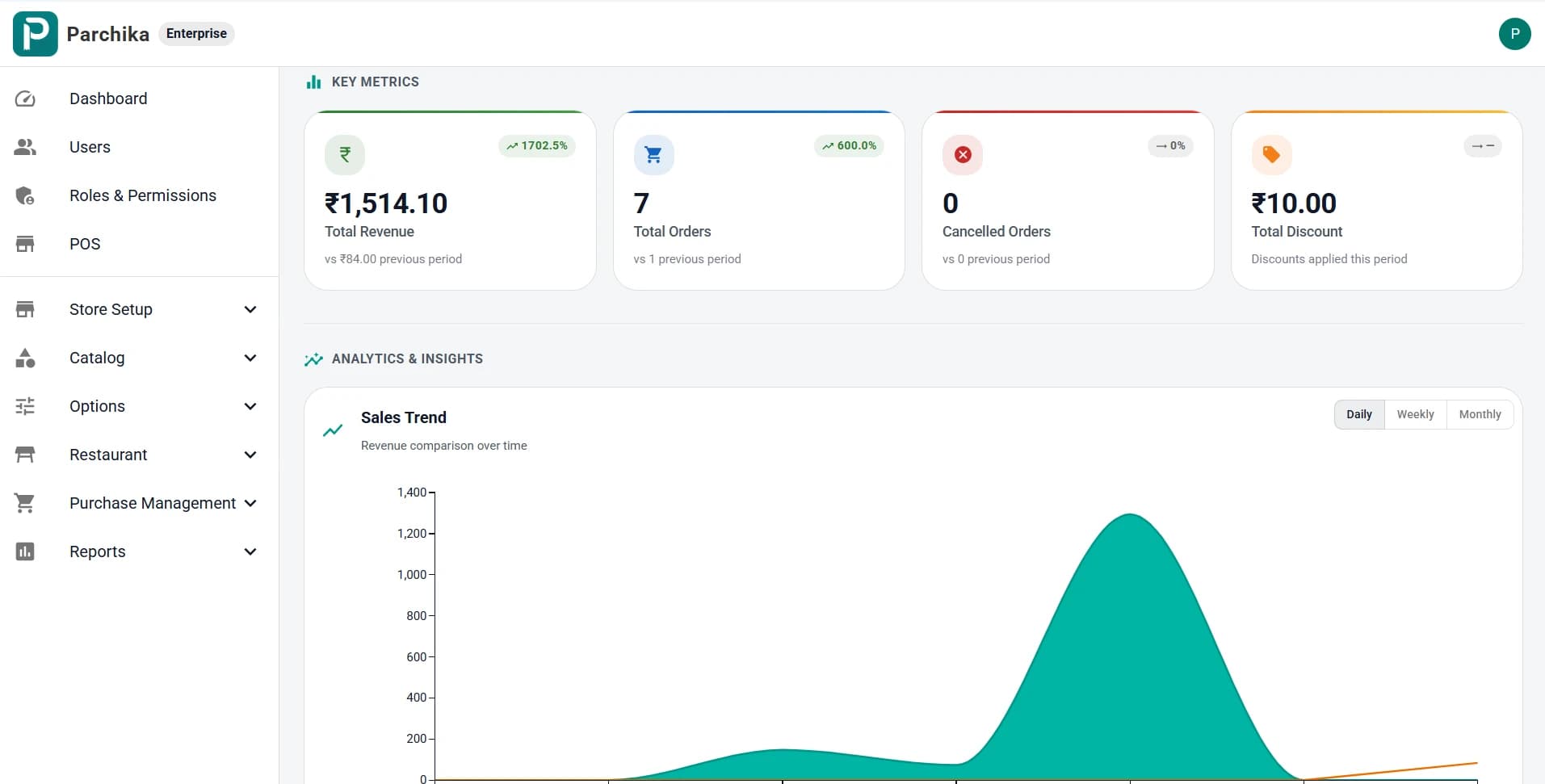
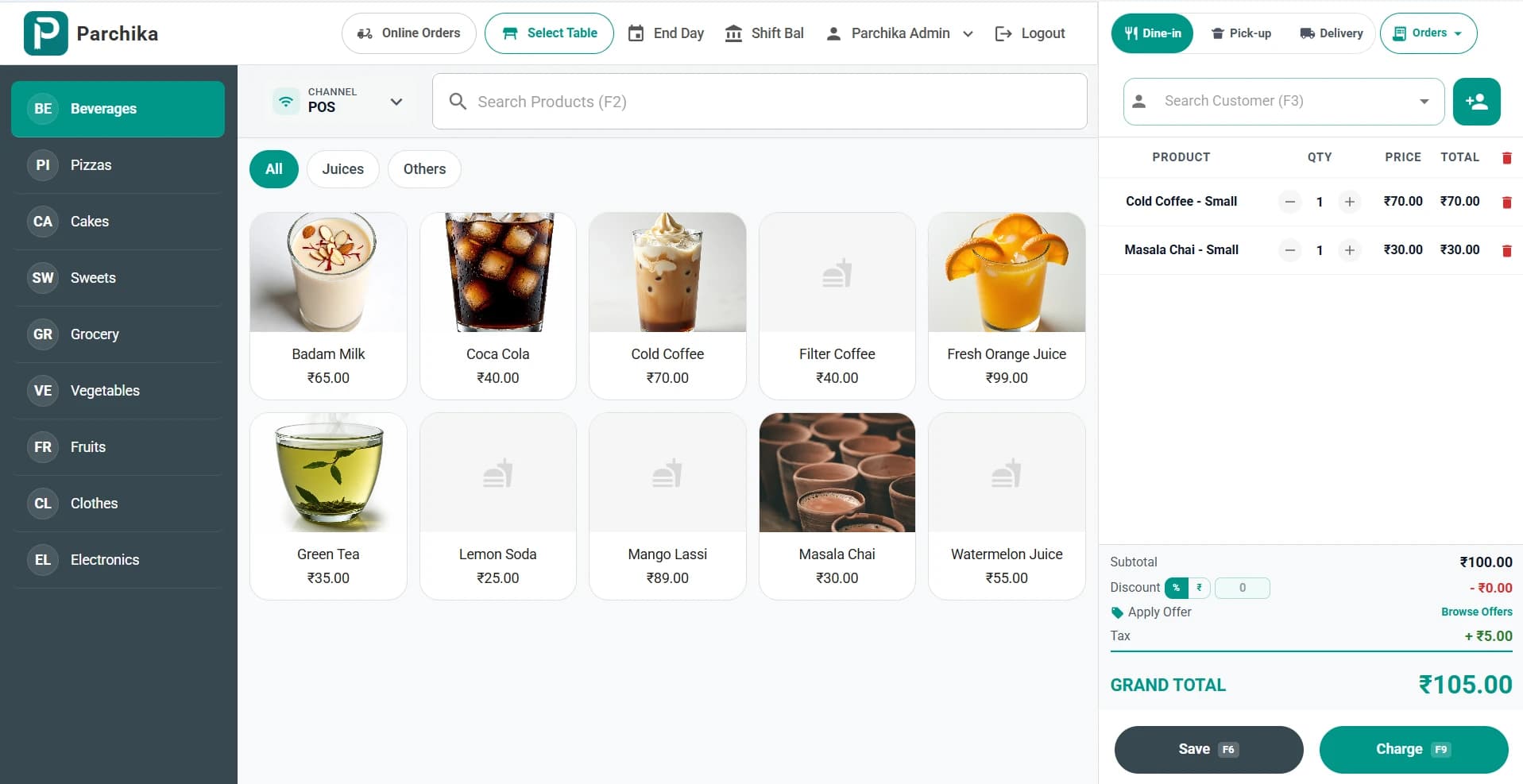
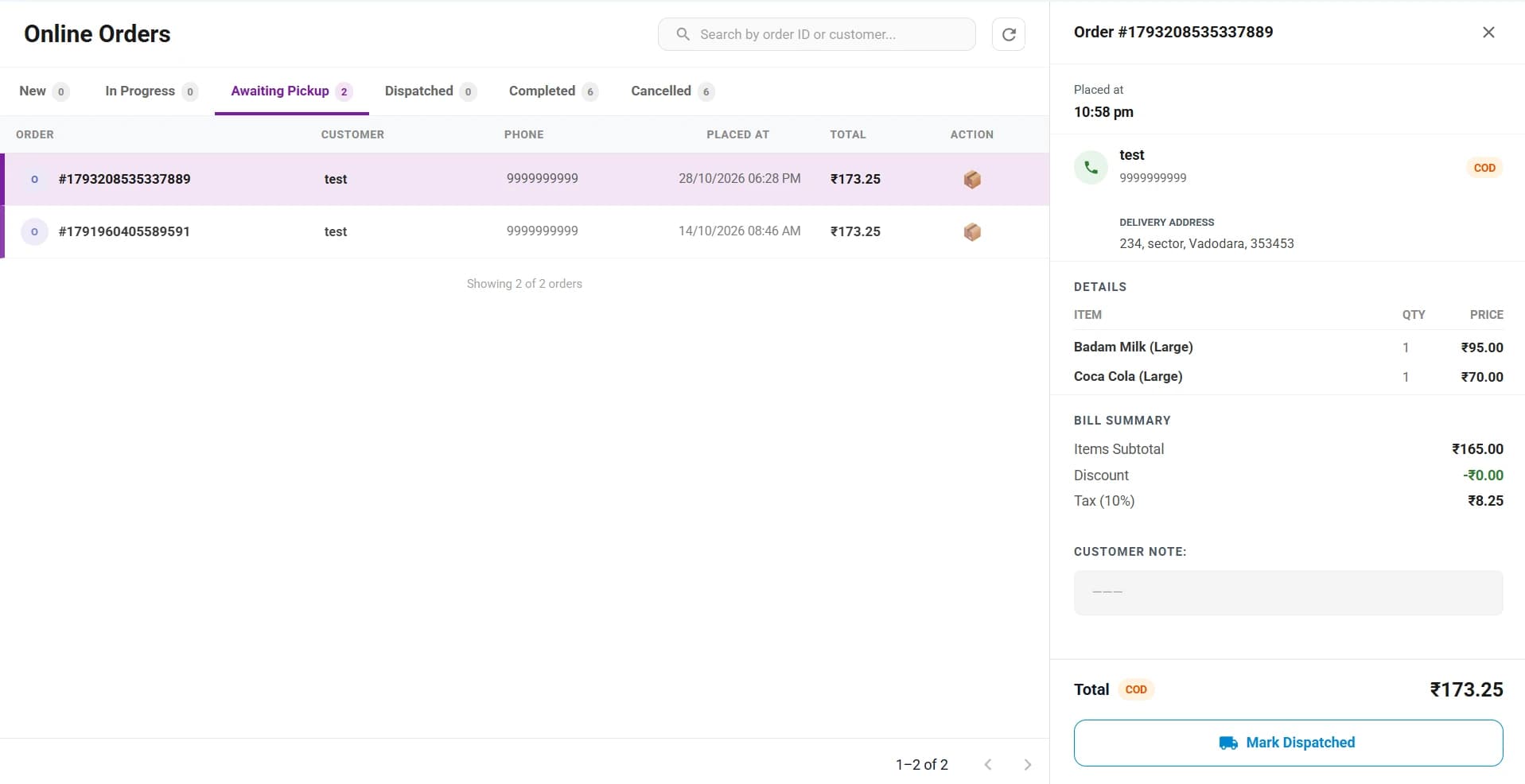
Revenue, orders, cancellations and discounts against the previous period, with daily, weekly and monthly sales trends.
Rollout
How we move your chain to Parchika
- 1
Discovery call
We map your outlets, ownership model, menu structure and what you use today.
- 2
Master set-up and migration
Your menu, recipes, taxes and outlet profiles are set up once at head office. We move your data from your old system for free.
- 3
Pilot outlet
One outlet goes live first, so you can check billing, reports and supply before the rest of the chain moves.
- 4
Chain rollout and training
Remaining outlets are added from the master set-up, and outlet staff are trained on their own screens.
Pricing for franchise chains
Multi-outlet and franchise features are on the Enterprise plan, priced by the number of outlets and the support you need. Tell us about your chain and we will send a quote.
Franchise POS questions
Can franchise owners see other outlets' sales?
No. Franchise owners and outlet managers only see their own outlet. Head office sees consolidated figures for the whole chain and can drill into any outlet.
Can we control the menu and prices from head office?
Yes. Items are created once in the master catalogue and published to all outlets or a selected group. You decide whether outlet managers may change prices for their local market.
How is franchise royalty calculated?
Royalty is calculated from the daily net sales each outlet records in Parchika, so the figure comes from the bills themselves rather than from reports sent in by the franchisee.
Do outlets keep billing if the internet goes down?
Yes. Every outlet bills offline independently, and sales sync to head office automatically when the connection returns.
Can franchise outlets order from our central kitchen?
Yes. Outlets raise requisitions from their POS, the central kitchen plans production from them, and batches are transferred with batch number, expiry date and cost attached.
Is there a limit on the number of outlets?
No. Parchika is built to scale from a few outlets to networks of hundreds of locations on one account.
Which plan do franchise chains need, and how is it priced?
Multi-outlet and franchise features are part of the Enterprise plan, which is priced by the number of outlets and the support you need. Book a demo and we will send a quote for your chain.
Can you move our data from our current POS?
Yes. We migrate your menu, items and customer data from your existing system for free as part of onboarding.
Book a chain demo
See Parchika set up for a chain like yours
We'll walk you through head office and outlet views, royalty, central kitchen supply and reports, using your own menu where possible.
- A demo built around your outlet count and ownership model
- A quote for your chain on the Enterprise plan
- A migration plan from your current POS